Footer

    Download on the App StoreGet it on Google Play

    關於

    • 認識 VoiceTube
    • 學習服務介紹
    • 加入我們
    • 常見問題
    • 熱門搜尋主題
    • 企業英文培訓
    • 社群推廣分潤計畫

    服務總覽

    • 口說挑戰
    • 單字單句本
    • Hero 智能學習
    • Tutor 真人家教
    • Vclass 名師課程
    • Campus 教育版
    • 字典查詢
    • 匯入影片並生成字幕
    • 部落格

    精選頻道

    影片分級

    • A1 初級
    • A2 初級
    • B1 中級
    • B2 中高級
    • C1 高級
    • C2 高級

    隱私權˙條款˙
    ©2026 VoiceTube Corporation. All rights reserved

    toggle

    US /ˈtɑɡəl/

    ・

    UK /'tɒɡl/

    C1 高級
    n.名詞【電腦】雙態元件
    The computer repairman installed a toggle to safeguard my computer
    n.名詞栓扣
    The jeweler added a toggle to fix the necklace
    v.t.及物動詞切換
    v.t.及物動詞【電子】開關
    Don't toggle the thermostat too much or you'll break it

    影片字幕

    「噢,哇!」川普出言不遜威脅伊朗,CNN評論員驚呆! (‘Ok, wow!’: Trump’s profane Iran threat stuns CNN panel)

    14:20「噢,哇!」川普出言不遜威脅伊朗,CNN評論員驚呆! (‘Ok, wow!’: Trump’s profane Iran threat stuns CNN panel)
    • We have seen this sort of toggle between saying, "This is going to be wrapped up in a couple of weeks," and escalating threats.

      我們看過這種在說「幾週內就會結束」和升級威脅之間的來回擺盪。

    • We have seen this sort of toggle between saying, "This is going to be wrapped up in a couple of weeks," and escalating threats.

      我們看過這種在說「幾週內就會結束」和升級威脅之間的來回擺盪。

    B1 中級

    根本是在看古典劇!英國航空公司爆紅的「飛安影片」不只幽默吸睛還很有教育意義! (British Airways | Safety Video 2024 | May We Haveth One’s Attention)

    05:23根本是在看古典劇!英國航空公司爆紅的「飛安影片」不只幽默吸睛還很有教育意義! (British Airways | Safety Video 2024 | May We Haveth One’s Attention)
    • To inflate, pull the red toggle as shown and the air can be topped up by using this mouthpiece.

      充氣時,按圖示拉動紅色撥動杆,就可以用這個吹嘴充氣了。

    • To inflate, pull the red toggle as shown, and

      紅色手柄僅供緊急情況下使用,其使用說明可在套間內找到。

    B1 中級

    熱騰騰的 iPhone 15/15 Pro 第一印象揭露!新改變不只 USB-C 而已! (iPhone 15/15 Pro Impressions: Not Just USB-C!)
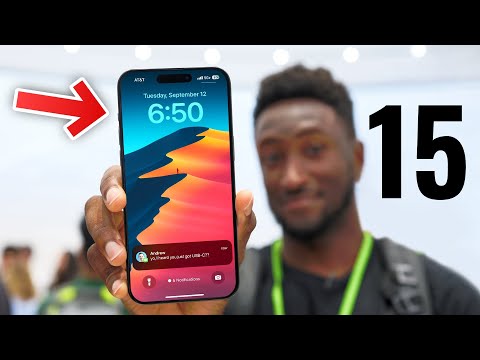
    13:23熱騰騰的 iPhone 15/15 Pro 第一印象揭露!新改變不只 USB-C 而已! (iPhone 15/15 Pro Impressions: Not Just USB-C!)
    • You could also do flashlight turning on or opening up voice memos, or it can toggle the magnifier.

      還可以打開手電筒或打開語音備忘錄,也可以切換放大鏡。

    • You could also do flashlight turning on or opening up voice memos, or it can toggle the magnifier.

      還有牆壁充電器,還有大量編織的 USB-C 連接線。

    B1 中級

    除了智慧型手錶,現在還出現「智慧戒指」! (Why the Apple Ring is Sorely Needed)

    06:32除了智慧型手錶,現在還出現「智慧戒指」! (Why the Apple Ring is Sorely Needed)
    • This is where you have to toggle on use schedule for sleep focus.

      在這裡,您必須切換使用日程表進行睡眠集中。

    • This is where you have to toggle on Use Schedule for Sleep Focus.

      請告訴我您對智能戒指的看法,以及您是否使用過,或者是什麼原因讓您想嘗試一下。

    B1 中級

    漢明碼是什麼?誤碼修正的起源! (But what are Hamming codes? The origin of error correction)
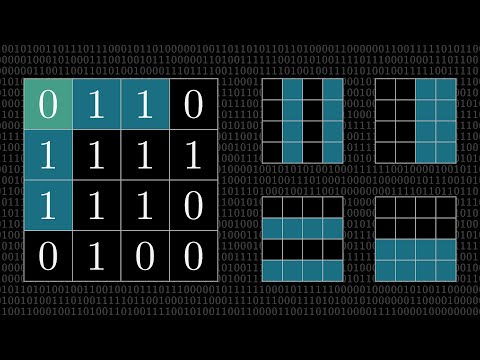
    20:05漢明碼是什麼?誤碼修正的起源! (But what are Hamming codes? The origin of error correction)
    • However, if there's two errors, then the overall parity is going to toggle back to being even,

      一開始這感覺很完美,可以精確找出區塊中 16 個位置的其中一個。

    • However, if there's two errors, then the overall parity is going to toggle back to being even.

      但如果發生兩個錯誤,整體同位元就會變回偶數。

    B1 中級

    人生就像一場電子遊戲,如何才能贏? (Life is a video game, here’s how to win)

    09:01人生就像一場電子遊戲,如何才能贏? (Life is a video game, here’s how to win)
    • So here is the third and final cheat code: "Learn how to toggle between focus and diffuse mode." Your character has two states.

      我考慮優先順序的方法是將所有任務分為三個方面。

    • Learn how to toggle between focus and diffuse mode.

      瞭解如何在聚焦和漫反射模式之間切換。

    B1 中級

    iPhone 6 全新外殼洩漏!開箱、初體驗:iPhone 5s vs iPhone 6 零件比一比! (NEW iPhone 6 Leaked Housing - Unboxing, First Look: iPhone 5s vs iPhone 6 Component Review)

    05:53iPhone 6 全新外殼洩漏!開箱、初體驗:iPhone 5s vs iPhone 6 零件比一比! (NEW iPhone 6 Leaked Housing - Unboxing, First Look: iPhone 5s vs iPhone 6 Component Review)
    • And above the rocker, we have cutouts for the mute toggle.

      外頭包覆著抗靜電袋

    • And above the rocker, we have cutouts for the mute toggle

      在上面 還多了靜音鍵的孔洞

    B1 中級

    TuneIn Radio:iPhone 93 的 iFive 93! (TuneIn Radio: iFive for the iPhone 93)

    01:57TuneIn Radio:iPhone 93 的 iFive 93! (TuneIn Radio: iFive for the iPhone 93)
    • car mode is easy to toggle on and off to the Browse tab

      行車模式可以輕鬆的切換網頁標籤

    • Car mode is easy to toggle on and off through the Browse tab.

      你需要有個非常簡單的介面和大型字體

    B1 中級

    【Photoshop 教學】告別瑕疵!輕鬆移除影像中的所有物體! (Photoshop Tutorial - Removing objects from images)
    19:03【Photoshop 教學】告別瑕疵!輕鬆移除影像中的所有物體! (Photoshop Tutorial - Removing objects from images)
    • All right just a little bit more right up here and I'll use Command-0 in order to zoom out and we can toggle the visibility of this layer in the layers panel.

      好的,再往上一點,我將使用 Command-0 來放大,我們可以在圖層面板中切換該圖層的可見性。

    • And we can toggle the visibility of this layer in the Layers panel.

      如果我們想放大,也可以使用這裡的滑塊,但我對現在的方式沒意見。

    B1 中級

    Figma 自動版型入門教學 (2025)!零基礎也能學會! (Figma Auto Layout Tutorial for Beginners (2025))

    08:51Figma 自動版型入門教學 (2025)!零基礎也能學會! (Figma Auto Layout Tutorial for Beginners (2025))
    • This arranges your elements vertically The third one is Horizontal It arranges your elements horizontally The fourth one is Grid This is a new update still in beta It allows you to edit the layout in a grid format We'll go over each of these in detail Don't worry, by the end of this video, you'll understand how to use every single button here Let us start with the Freeform setting You'll see W and H right below this button W stands for Width and H stands for Height You can use these fields to adjust the size of your element You can type in a number, hover over the letter and drag to change it Or do it the most organic way Hover over the edge of the element and drag until you see a number you like I like multiples of 4 To the right, you'll see a square icon If you click it, it locks the aspect ratio of the element So the width and height stay proportional Let's say you are redesigning a YouTube thumbnail A YouTube thumbnail has a specific aspect ratio So locking it can prevent your cat, your kid, and mostly you from messing it up One very, very important thing Make sure you select the right layer In a real design project, you'll have so many layers So if you want to lock the aspect ratio of this circle, let's say Make sure to select the circle, not the frame That way, your circle will stay perfectly as a circle Not too fat, not too short Below Width, you'll find a field to adjust the gap between elements This only appears in freeform mode when your elements share the same gap At the bottom, you'll see the clip content checkbox This is super helpful when your frame is smaller than the elements inside For example, in a carousel design Checking clip content will hide the parts of the elements that extend outside the frame Alright, next let's move on to vertical and horizontal layouts These two are really similar So let's take a look at the horizontal one When you select a horizontal layout A wrap icon will appear on the right If you click it, the elements inside the frame will automatically wrap into multiple rows Perfect for when there's not enough space in a single line Below that, you'll see width and height settings Each with a drop-down If you click the drop-down, you can set the size to hug This makes the frame automatically adjust to fit its contents For example, if you add a new circle to the frame The width will automatically expand to hug the new element You can also set minimum or maximum values for width and height Let's say you don't want the frame to be wider than 750 pixels Just set the max width to 750 And even if you add more elements, the frame won't go beyond that limit Right below width, you'll see nine alignment options for your elements inside the frame These let you align your content to the top, center, bottom, left, right Basically any corner or edge you want You might not notice much difference right now if your frame is hugging the elements But once the frame is bigger, this alignment will become very obvious Next is the gap setting Click the drop-down and you'll see an option to set it to auto This automatically adjusts the space between elements to fill the frame evenly So satisfying to see everything snap into place Below that are your padding settings Padding is the space between the edge of the frame and the element inside it By default, padding is applied equally on parallel sides But if you click the little toggle next to it, you can customize the padding for each side Just like this Next, let's move to grid A brand new and still in beta feature in Figma Alright, I have a love-hate relationship with this, okay?

      第三個是橫向(Horizontal) 將元素橫向排列 第四個是網格(Grid) 這是一個新的更新,仍處於測試階段,它允許你以網格格式編輯佈局 我們將詳細介紹其中的每一個按鈕 別擔心,在本視頻結束時,你會明白如何使用這裡的每一個按鈕、讓我們從 "自由格式 "設置開始吧 你會看到 W 和 H 就在這個按鈕的下方 W 代表寬度,H 代表高度 你可以使用這些資料欄來調整元素的大小 你可以輸入一個數字,將鼠標懸停在字母上,然後拖動來更改它 或者用最簡單的方法 將鼠標懸停在元素的邊緣,然後拖動,直到看到你喜歡的數字為

    • but if you click the little toggle next to it, you can customize the padding for each side, just like this.
    B1 中級