Footer

    Download on the App StoreGet it on Google Play

    關於

    • 認識 VoiceTube
    • 學習服務介紹
    • 加入我們
    • 常見問題
    • 熱門搜尋主題
    • 企業英文培訓
    • 社群推廣分潤計畫

    服務總覽

    • 口說挑戰
    • 單字單句本
    • Hero 智能學習
    • Tutor 真人家教
    • Vclass 名師課程
    • Campus 教育版
    • 字典查詢
    • 匯入影片並生成字幕
    • 部落格

    精選頻道

    影片分級

    • A1 初級
    • A2 初級
    • B1 中級
    • B2 中高級
    • C1 高級
    • C2 高級

    隱私權˙條款˙
    ©2026 VoiceTube Corporation. All rights reserved

    parameter

    US /pəˈræmɪtɚ/

    ・

    UK /pəˈræmɪtə(r)/

    B1 中級英檢高級多益
    n.名詞界限 ; 範圍 ; 參數
    The time parameter for this job is two weeks

    影片字幕

    Nvidia 2024 年電腦展主題演講,15 分鐘濃縮精華!(Nvidia's 2024 Computex Keynote: Everything Revealed in 15 Minutes)
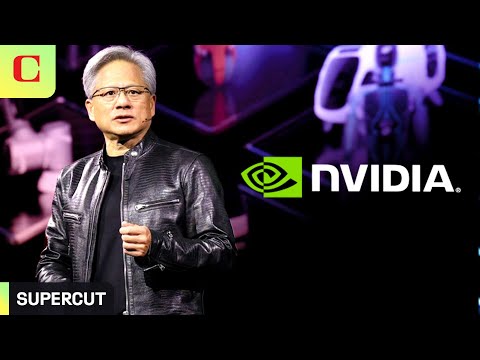
    14:40Nvidia 2024 年電腦展主題演講,15 分鐘濃縮精華!(Nvidia's 2024 Computex Keynote: Everything Revealed in 15 Minutes)
    • Today, every parameter is measured: start time, uptime, utilization, throughput, idle time, you name it, because it's a factory.

      它必須在多個 GPU、張量並行、流水線並行、數據並行、各種並行、專家並行、各種並行中分配工作負載,在多個 GPU 上儘可能快地處理工作負載。

    • Today, every parameter is measured: start time, uptime, utilization, throughput, idle time, you name it, because it's a factory.

      它必須在多個 GPU、張量並行、流水線並行、數據並行、各種並行、專家並行、各種並行中分配工作負載,在多個 GPU 上儘可能快地處理工作負載。

    B1 中級

    聖經系列 I:神的觀念入門! (Biblical Series I: Introduction to the Idea of God)

    38:29聖經系列 I:神的觀念入門! (Biblical Series I: Introduction to the Idea of God)
    • And that's somewhat of a dangerous parameter.

      我簡單舉個例子

    • And that's somewhat of a dangerous parameter.

      是用了多長時間才搞懂這一點的

    B1 中級

    超強大 AI 個人助手登場!Google「I/O大會」重點 10 分鐘內一次看! (Google I/O '24 in under 10 minutes)

    09:58超強大 AI 個人助手登場!Google「I/O大會」重點 10 分鐘內一次看! (Google I/O '24 in under 10 minutes)
    • So in a few weeks, we'll be adding a new 27 billion parameter model to Gemma 2.

      因此,幾週後,我們將向 Gemma 2 添加一個新的 270 億參數模型。

    • parameter model to Gemma 2.

      參數模型到 Gemma 2。

    B1 中級

    ArduinoJson 7 有什麼新功能?! (What's new in ArduinoJson 7)

    14:56ArduinoJson 7 有什麼新功能?! (What's new in ArduinoJson 7)
    • I changed how we customize the allocator. Instead of passing a template parameter, you must pass a pointer to a polymorphic allocator. This change, inspired by Stude PMR, allows all JSON documents to be compatible with each other, regardless of the allocator.

      我改變了自定義分配器的方式。你必須傳遞一個指向多態分配器的指針,而不是傳遞一個模板參數。這一改變受到了 Stude PMR 的啟發,它允許所有 JSON 文檔相互兼容,而無需考慮分配器。

    • Instead of passing a template parameter, you must pass a pointer to polymorphic allocator.

      如果您在使用該庫時遇到任何問題,請嘗試使用 Arduino JSON 故障排除程序對問題進行自我診斷。如果無法解決問題,請在 GitHub 上提交問題。

    B1 中級

    大型語言模型入門教學! (Introduction to large language models)

    15:46大型語言模型入門教學! (Introduction to large language models)
    • Second, it refers to the parameter count.

      其次,它指的是參數計數。

    • Second, it refers to the parameter count.

      通用性是指模型足以解決常見問題。

    B1 中級

    PID 區塊控制閥程式設計 | DeltaV DCS 進階教學! (Control Valve Program using PID Block | DeltaV DCS Tutorial -Advance)

    15:27PID 區塊控制閥程式設計 | DeltaV DCS 進階教學! (Control Valve Program using PID Block | DeltaV DCS Tutorial -Advance)
    • Now you see this back calculation out what I was talking about so this back calculation out need to be connected to back calculation in okay so we have a connection from here to this guy to make it look better you can do like this okay so this out is connected here and this out is to in back calculation in to white your reset wind up and bumpless transfer concept which we actually talked about before so a very important thing now which we really need to understand is there are few things that you have to have here which are not actually there so how to get up something in a PID which never which is not existed even you can see there's no set point here so you have to click right show parameter browse first first of all you have to understand I want this parameter to appear at the input side of the PID block so I selected type as input get into the browse now you have to search for set point so this set point is right here just click okay and click okay now you would see the set point is there also right now let's edit there are few things that you have to actually take care when you are going to make a PID loop so that is control options so when you click on this here you can actually make reverse or direct acting by default when you haven't selected anything this is reverse acting but when you are trying to you know it as a direct acting then you can do it like this you understand the point so I click on direct acting and click okay now this guy is ready okay so good now we can give a set point some value where is the set point set point is here I want my PID to be at 89 and where is the set point is good good cascade okay then I want this guy to be at some value right I don't want this to be set point I need to give it some value here to simulate in also so I will enable it I would give it 80 value okay so this is now 80 value and this set point is termed as your how much was how much was the value for the set point 89 okay now if we give it a 10 value for instance this AI that would behave in a better way I think let me instead of getting a high value we can give it a same 60 50 value that's a better way now you can see there are many options that exist if you come here into this block you can also see there are many options but first of all we have to understand see the gain is there there is a PIND rate is there that is there and you have a reset and you have a gain also and you have a outscale that you have actually scaled a value that your output would be between 0 to 100 it would not exceed more than that I'm sure that my process value or my control wall is between 0 to 100 percent there is no more actually opening of the control wall more than 100 percent then in that case you can see you can put up a zero limit for a low limit and high limit would be adjusted to 100 you can see here right any questions it's okay this this is your high limit in similar way you can also give a low limit in high limit to input values also but yeah this is a set point and one important thing with more thing yeah you can see the mode option here it's in the manual you can put it auto you can put it manual here you can put it cascade you can get put cascade remote and remote output but we would be talking about auto and manual in this case so I put it in manual and I'm trying to give a value and I need to save this program I need to download it and then see what is the response upload to the download to the station you can first upload it select okay and it's going to upload and then download anyway okay so now you see you put up a value of 50 and your set point is 89 as 79 and you're trying to give the output value to some value let's see and I want to give this output some value so I'm trying to give out manually so I'm trying this to be 30 okay so I put this output manually 30 value now I'm going to change the mode of operation to automatic to see how it operate so I select mode and make it into auto and click so now we have to tweak with the PID terms to see the response so if you see that we have a gain here so I want my gain to be high so what I where is the gain best way is put here and just select some give some value and I give it one to see the response now see the value is changing when I give a gain gain value you see the value of feedback is also changing and that back calculation is getting back to here also you see that's what I was talking about the feedback is going to be fed in in the back calculation now system is trying to reach to that value this is a set point 89 and your value is 50 okay so the system is trying to maintain that value if you try giving a value for example 675 see the response is changing so based on what you have at the AI which is your input your output would regulate the flow so this output would be actually connected to control valve and this AI is connected to the temperature transmitter in the case what we were actually talking about that's all for today if in the case you like this video consider hitting the like button if in the you haven't subscribed this youtube channel consider subscribing until next video take care and Allah Hafiz

      現在你看到了我剛才說的這個反向計算輸出,所以這個反向計算輸出需要連接到反向計算輸入,好的,所以我們有一個從這裡到這個傢伙的連接,使它看起來更好,你可以這樣做,好的,所以這個輸出連接到這裡,這個輸出是連接到反向計算輸入,白色的你的復位卷繞和無緩衝轉移的概念,我們之前實際上已經說過了。是以,我們現在需要了解的一件非常重要的事情是,有一些東西你必須在這裡有,但實際上並不存在,所以如何在 PID 中建立一些從未存在過的東西,甚至你可以看到這裡沒有設定點。這裡沒有設定點,所以你必須點擊右側的顯示參數瀏覽,首先你必須

    • So you have to click right show parameter browse.
    A2 初級

    影片曝光!川普造勢場合驚傳槍擊案! (Video captures shooting at Trump rally)

    08:08影片曝光!川普造勢場合驚傳槍擊案! (Video captures shooting at Trump rally)
    • So the security parameter is different.

      是以,安全參數是不同的。

    • This is outside, obviously, so the security parameter is different.

      你可以從音頻中聽到他的聲音中透露出的恐慌,他說 "讓我去拿鞋,讓我去拿鞋"。

    B1 中級

    如何使用 Gemini AI API 搭配 Python | 最新 2025 教學! (How to Use Gemini AI API with Python | Latest 2025 Tutorial)

    08:28如何使用 Gemini AI API 搭配 Python | 最新 2025 教學! (How to Use Gemini AI API with Python | Latest 2025 Tutorial)
    • So this is an important parameter and final one is the response type this is just text yeah nothing big over there and here genai.generativemodel and we are having two parameters here we are passing the model name in our case it's Gemini 2.0 flash.

      所以這是一個重要參數,最後一個是響應類型,這只是文本,對,沒什麼大不了的,這裡是 genai.generativemodel,我們在這裡有兩個參數,我們傳遞的是模型名稱,在我們的例子中是雙子座 2.0 閃存。

    • So that's basically the code and now let's go and ask a particular question so what I will do is let's just get the raw response and see and let me just just put a hello that's it this is going to be my input text or question so for running this is going to be python space Gemini underscore file dot py and before going into all make sure that you have python installed on your system that's really important and if you don't have python installed you can just click on the card that is appearing on top I will run an entire video on that so if I run it now ok I'm getting an error protocol message generation config has no response mime underscore type so yeah this is a generation config so I guess this particular parameter is not needed or something so I'll just remove this okay so now let's go and try again so we are getting an object okay so now let me just go with dot text I thought we will be getting a JSON something like that so again rerun it yeah here as you can see here we have got hello there how can I help you today so now what we are going to do is I'm just going to ask another question this time I will ask a question that gives us a lot of response so let me just go and ask essay on global warming that's it saving and rerunning so this is the output that it has given that's a lot that's really like five to ten paragraphs and what if you wanted to control the response because as I told you earlier the more output token it gets generated the more you will be charged and there are some conditions where you might want the response to be like two to three paragraphs in that case what you can do is here we are having the max output tokens as 8192 you can just change this to like 200 maybe so I'm just going with the exact same prompt now but this time we'll be at most getting two paragraphs so let me just run it again so now we have just got two paragraphs over here so this is basically how you control the output response also and in case if you want to know more about how to access this API key you can just go here and they will be having API documentation select it and here you will be having the entire guide on how to use this like fine-tuning structured outputs and other use cases for vision long context code execution there are like so many things you can just go through it as a guide because this is like a starting point okay and that's the video guys I hope you have found it useful do check the playlist of my channel I've done a lot of videos in programming Gemini API open AI API Sora chat GPT and other AI tools and credit operations check the playlist subscribe me thanks for watching

      這就是基本代碼,現在讓我們來問一個特定的問題,我要做的就是獲取原始回覆,然後讓我輸入一個 hello 就可以了,這將是我的輸入文本或問題,是以運行時將使用 pythonspace Gemini underscore file dot py,在運行之前,請確保你的系統已經安裝了 python,這一點非常重要。如果我現在運行它,我就會收到一條錯誤的協議消息:生成配置沒有響應的 mime 下劃線類型,所以這是一個生成配置,我猜這個特定的參數是不需要的,所以我把它去掉就可以了,好了,現在讓我們再試一次,我們會得到

    A2 初級

    關於人工智慧! (On Artificial Intelligence)

    52:06關於人工智慧! (On Artificial Intelligence)
    • If I show it 50,000 circles or 5 billion circles, and I give it a very small amount of parameter weights, which are its equivalent neurons, to memorize that, it's going to be much better off figuring out pi and how to draw a circle and what thickness means and forming an algorithmic representation of that circle rather than memorizing circles.

      當你在畫一隻貓時,你可以畫出很多不同的貓。

    • I give it a very small amount of parameter weights, which are its equivalent neurons to memorize that, it's going to be much better off figuring out PI and how to draw a circle and what thickness means and forming an algorithmic representation of that circle rather than memorizing circles.

      我給它極少量的參數權重(相當於它的神經元)來記住這些,它會更擅長找出圓周率、如何畫一個圓、什麼是粗細,並形成一個圓的演算法表徵,而不是記住圓圈。

    B1 中級

    UPC 的聲波濾波器設計範例! (Design Example: UPC's Acoustic Wave Filter)

    35:19UPC 的聲波濾波器設計範例! (Design Example: UPC's Acoustic Wave Filter)
    • And essentially these two resonant frequencies that we have are defined from the parameter that we call the electroacoustic coupling, right?

      到目前為止,這項技術顯然主導了 3 GHz 以下的所有頻譜。

    • And essentially these two resonant frequencies that we have are defined from the parameter that we call the electroacoustic coupling.

      基本上,這兩個諧振頻率是由我們稱為「電聲耦合」的參數決定的。

    B2 中高級