padding
US /ˈpædɪŋ/
・UK /ˈpædɪŋ/
B1 中級
v.t./i.動詞 (及物/不及物)(用軟物)加厚
Padding the bleachers will add more comfort and protection that fans would surely appreciate.
v.t./i.動詞 (及物/不及物)墊充
The clinic is padding their clients with additional charges that are unnecessary
v.i.不及物動詞放輕腳步走
The tiger is padding after the chicken he wants for dinner
影片字幕


卡斯楚 HD 完整版! (Be Castro HD)

- Can't be covered and no padding.
當時就讀位在古巴東部一所天主教男子高中
- and a brick wall... Can’t be covered, no padding, it’s just brick.
另一端,則是一面磚瓦牆,沒有任何粉刷,也沒有軟墊覆蓋,就是只有磚塊而已
超舒服的全身SPA!地板式按摩教學:Athena Jezik & Corrina Rachel ASMR (Back Massage How to Floor Work; Full Body Spa Therapy Techniques Athena Jezik Corrina Rachel ASMR)

- little padding or cushion
是很重要的是,該人在 地板是舒適的某種形式的
- some kind of a little padding or cushion is nice.
小的填充或墊

加拿大人的冰球教學!🏒 (Learn about Ice Hockey from a Canadian)

- But they have a lot of padding, because if the puck hits you and you're not protected, you don't have padding, it's very, very painful.
但他們有很多襯墊,因為如果冰球擊中你,而你沒有保護,沒有襯墊,那會非常非常疼。
- Also, sometimes the sticks fly around, so if a stick hits you and you don't have padding, it could be very painful.
此外,有時棍子會飛來飛去,如果棍子打在你身上,而你又沒有襯墊,可能會非常疼。
2024年必看!十部上映後慘遭滑鐵盧的電影大公開! (Top 10 Recent Movies That Brutally Bombed)

- Even with that slight padding, it still had the third-highest sophomore drop in the genre's history.
該片在美國和加拿大的總票房還不到 1.1 億美元,很明顯,預測結果比人們最初想象的還要糟糕。
- Even with that slight padding, it still had the third highest sophomore drop in the genre's history.
即便如此,該片仍是該類型電影史上二年級跌幅第三高的作品。

Figma 自動版型入門教學 (2025)!零基礎也能學會! (Figma Auto Layout Tutorial for Beginners (2025))
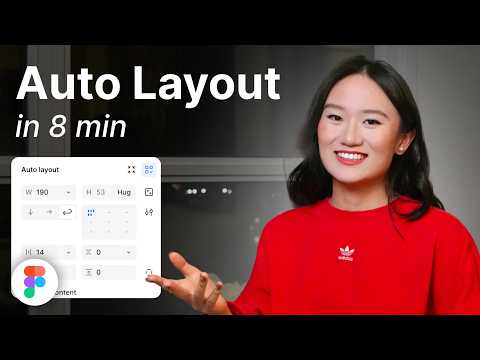
- This arranges your elements vertically The third one is Horizontal It arranges your elements horizontally The fourth one is Grid This is a new update still in beta It allows you to edit the layout in a grid format We'll go over each of these in detail Don't worry, by the end of this video, you'll understand how to use every single button here Let us start with the Freeform setting You'll see W and H right below this button W stands for Width and H stands for Height You can use these fields to adjust the size of your element You can type in a number, hover over the letter and drag to change it Or do it the most organic way Hover over the edge of the element and drag until you see a number you like I like multiples of 4 To the right, you'll see a square icon If you click it, it locks the aspect ratio of the element So the width and height stay proportional Let's say you are redesigning a YouTube thumbnail A YouTube thumbnail has a specific aspect ratio So locking it can prevent your cat, your kid, and mostly you from messing it up One very, very important thing Make sure you select the right layer In a real design project, you'll have so many layers So if you want to lock the aspect ratio of this circle, let's say Make sure to select the circle, not the frame That way, your circle will stay perfectly as a circle Not too fat, not too short Below Width, you'll find a field to adjust the gap between elements This only appears in freeform mode when your elements share the same gap At the bottom, you'll see the clip content checkbox This is super helpful when your frame is smaller than the elements inside For example, in a carousel design Checking clip content will hide the parts of the elements that extend outside the frame Alright, next let's move on to vertical and horizontal layouts These two are really similar So let's take a look at the horizontal one When you select a horizontal layout A wrap icon will appear on the right If you click it, the elements inside the frame will automatically wrap into multiple rows Perfect for when there's not enough space in a single line Below that, you'll see width and height settings Each with a drop-down If you click the drop-down, you can set the size to hug This makes the frame automatically adjust to fit its contents For example, if you add a new circle to the frame The width will automatically expand to hug the new element You can also set minimum or maximum values for width and height Let's say you don't want the frame to be wider than 750 pixels Just set the max width to 750 And even if you add more elements, the frame won't go beyond that limit Right below width, you'll see nine alignment options for your elements inside the frame These let you align your content to the top, center, bottom, left, right Basically any corner or edge you want You might not notice much difference right now if your frame is hugging the elements But once the frame is bigger, this alignment will become very obvious Next is the gap setting Click the drop-down and you'll see an option to set it to auto This automatically adjusts the space between elements to fill the frame evenly So satisfying to see everything snap into place Below that are your padding settings Padding is the space between the edge of the frame and the element inside it By default, padding is applied equally on parallel sides But if you click the little toggle next to it, you can customize the padding for each side Just like this Next, let's move to grid A brand new and still in beta feature in Figma Alright, I have a love-hate relationship with this, okay?
第三個是橫向(Horizontal) 將元素橫向排列 第四個是網格(Grid) 這是一個新的更新,仍處於測試階段,它允許你以網格格式編輯佈局 我們將詳細介紹其中的每一個按鈕 別擔心,在本視頻結束時,你會明白如何使用這裡的每一個按鈕、讓我們從 "自由格式 "設置開始吧 你會看到 W 和 H 就在這個按鈕的下方 W 代表寬度,H 代表高度 你可以使用這些資料欄來調整元素的大小 你可以輸入一個數字,將鼠標懸停在字母上,然後拖動來更改它 或者用最簡單的方法 將鼠標懸停在元素的邊緣,然後拖動,直到看到你喜歡的數字為
- Because it was released literally one day after I finished editing my last auto layout tutorial So now here I am redoing everything all over again and throwing my last edit to trash But hey, it's a powerful feature With grid, you can snap your elements into a clean grid layout You can also set your elements to span multiple rows or columns Think about designing bento boxes on a website But I still don't like bento box, bleh You can also manually adjust the width and height of each row or column Like this On the right panel, you'll find controls to set up as many rows and columns as you want Just click this big grid thingy And with the grid layout, you can also select the element's unit And set their width and height to fill container I love this setting Now, whenever you change the gap size or resize the frame All the elements will adjust automatically to fill in those grids So satisfying There is one more button The auto layout settings button on the right Click this opens more controls Let's try an example by adding a thick stroke to these circles By default, the stroke will go outside the frame If you change the dropdown to include the stroke in the layout The strokes will stay inside the frame So this is what it does I actually haven't had a chance to use this Now, let us set the gap between elements to a negative number Think about Instagram like where the profile pictures overlap You can use the dropdown here to switch between Whether you want the first or last element to show on top Just one more setting left For this one, let's add an icon and some text If you use auto layout, they'll align automatically And if you make the text bigger, the layout will adjust like this But if you turn on align text baseline The icon will align with the baseline of the text No matter how big or small the text gets However, this doesn't work well with icons that have padding inside Which is like all of the icons I use So I don't know how to use this Now let's talk about using auto layout in a real-world scenario This is really really important So pay attention Take this YouTube card element as an example How would you fix this layout using auto layout?
因為就在我編輯完上一篇自動佈局教程的第二天,它就發佈了,所以現在我又要重新做一遍所有的事情,把上次編輯的內容扔到垃圾桶裡、點擊這個大網格,你還可以選擇元素的組織、部門,並設置它們的寬度和高度以填充容器 我喜歡這個設置 現在,每當你改變間隙大小或調整框架大小時,所有元素都會自動調整以填充這些網格,太令人滿意了 還有一個按鈕 右邊的自動佈局設置按鈕 點擊這個按鈕會打開更多控制按鈕 我們來舉個例子,給這些圓圈添加粗線條 默認情況下,筆觸會超出框架、如果你改變下拉菜單,將筆畫包含在佈局中,筆畫就會保留在框架內,這